
GDPR & Privacy Portal
How consent works, what the Privacy Portal does for your contacts, and how to handle data privacy requests — including for people who aren't in your database
PR is a people business, which means your Prezly account is full of personal data: journalists, subscribers, stakeholders. The GDPR sets the rules for handling that data, and Prezly has compliance built in — double opt-in subscriptions, cookie consent, one-click unsubscribes, and a Privacy Portal where anyone can exercise their privacy rights.
This article covers the whole picture: how consent works in Prezly, what the Privacy Portal does, and how to handle a data privacy request — including the case that surprises most teams the first time, a request from someone who isn't in your contact database.
💡 Just received a data privacy request and not sure what to do? Jump straight to Handling a request, step by step.
Who's responsible for what?
Two roles from the GDPR come up throughout this article:
- Your organization is the data controller. You decide whose data you collect and what you use it for, and you're responsible for having a lawful basis and for answering privacy requests.
- Prezly is a data processor. We store and process contact data on your behalf, under our Data Processing Agreement, and we give you the tools to stay compliant — but we don't decide what's in your database, and we can't answer privacy requests about it for you.
One nuance worth remembering: your responsibilities as a controller cover all the personal data your organization holds — in Prezly, in your inbox, in other tools. Prezly can only ever show you the Prezly part.
Consent and lawful bases
Cookies on your newsroom
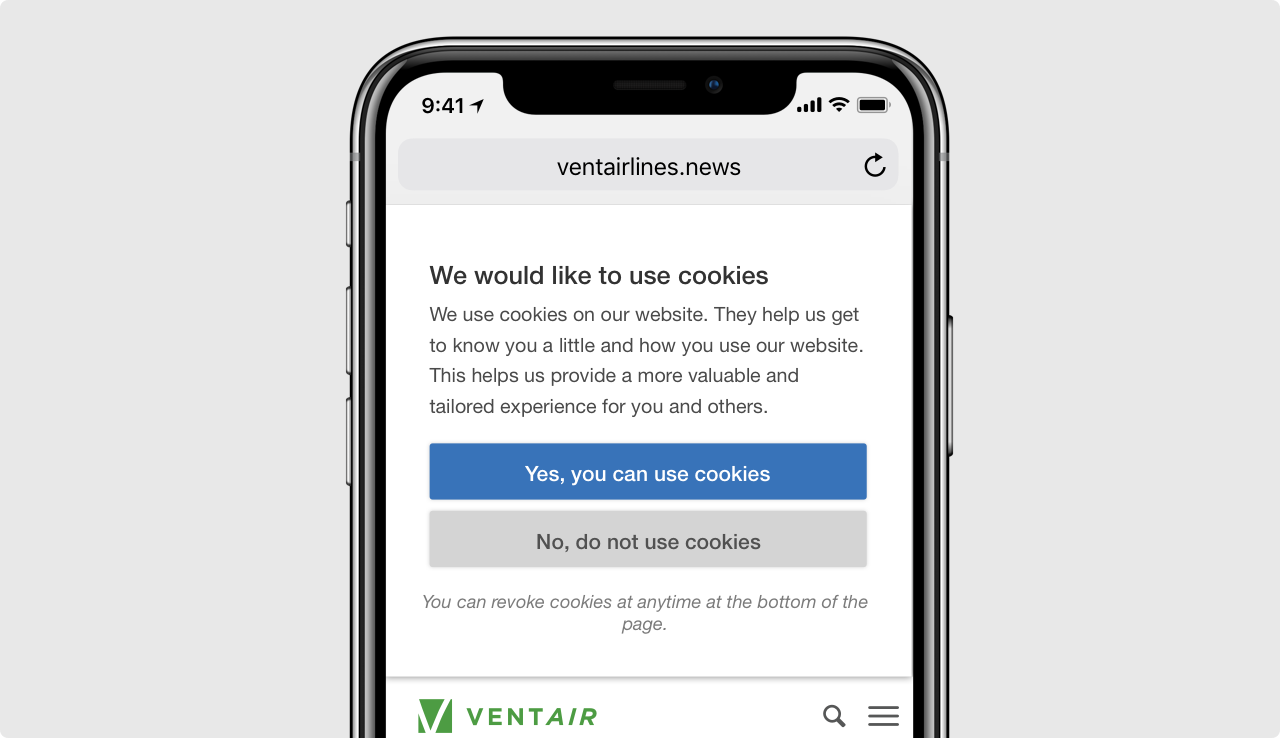
Prezly sites show visitors a banner explaining that cookies are used, with the choice to accept or opt out of behavior tracking. If a visitor refuses, their site behavior (visits, downloads, searches) is not tracked. Visitors can revoke their cookie consent at any time via the link at the bottom of any Prezly site.
Subscribing: double opt-in, always
When someone subscribes on your newsroom, they aren't added to your list right away. They first receive a confirmation email explaining what they're signing up for, and only become a subscriber once they click it. This double opt-in gives you clean, provable consent for every subscriber — Prezly handles it automatically and keeps the record.
Adding and updating contacts yourself
Most PR databases aren't built from subscriptions alone — you add journalists and stakeholders yourself. When you do, make sure you have a proper basis to contact them (their consent, or a legitimate interest — see below), and remember that every contact can revoke that basis at any time through the Privacy Portal.
Your existing database: consent is not the only lawful basis
A common misconception is that the GDPR requires opt-in consent from everyone in your database. It doesn't. Article 6 of the GDPR lists six lawful bases for processing personal data — consent is just one of them, alongside contract, legal obligation, vital interests, public task and legitimate interests.
For media relations, legitimate interest is often the relevant one: the GDPR itself notes that processing personal data for direct marketing purposes may be regarded as carried out for a legitimate interest. Emailing a technology journalist a relevant technology story is a textbook example. What legitimate interest never removes is the person's right to object: an easy way out must always be available, and once someone opts out, that decision is final.
In short: consent is not always legally required to email someone — but an opt-out always has to be one click away. That's exactly what the Privacy Portal provides.
Do's and don'ts for compliant outreach
Do:
- Let people opt out easily, and treat every opt-out as permanent.
- Segment your audience and send people things that are actually relevant to them — relevance is the heart of a legitimate-interest claim.
- Clean up: unsubscribe or remove contacts who never engage after repeated attempts, and don't keep data you no longer use.
- Keep your contact details and privacy policy easy to find.
- Have a plan for what happens when someone withdraws consent or objects.
Don't:
- Buy email lists.
- Blast identical messages to your entire database.
- Store more personal information than you need.
- Re-add or re-email people who unsubscribed.
- Sell or share the data you've collected.
The Privacy Portal
Every Prezly newsroom comes with a built-in Privacy Portal — a small, branded site that gives your audience control over their own data, in their own language (20+ languages supported) and styled to match your newsroom.
Visitors and contacts reach it through links Prezly adds automatically: in the footer of your newsroom and in the unsubscribe link of every campaign you send. From there, they can:
- Confirm a subscription (the double opt-in flow described above).
- Unsubscribe or manage preferences. One click, no login, no dark patterns.
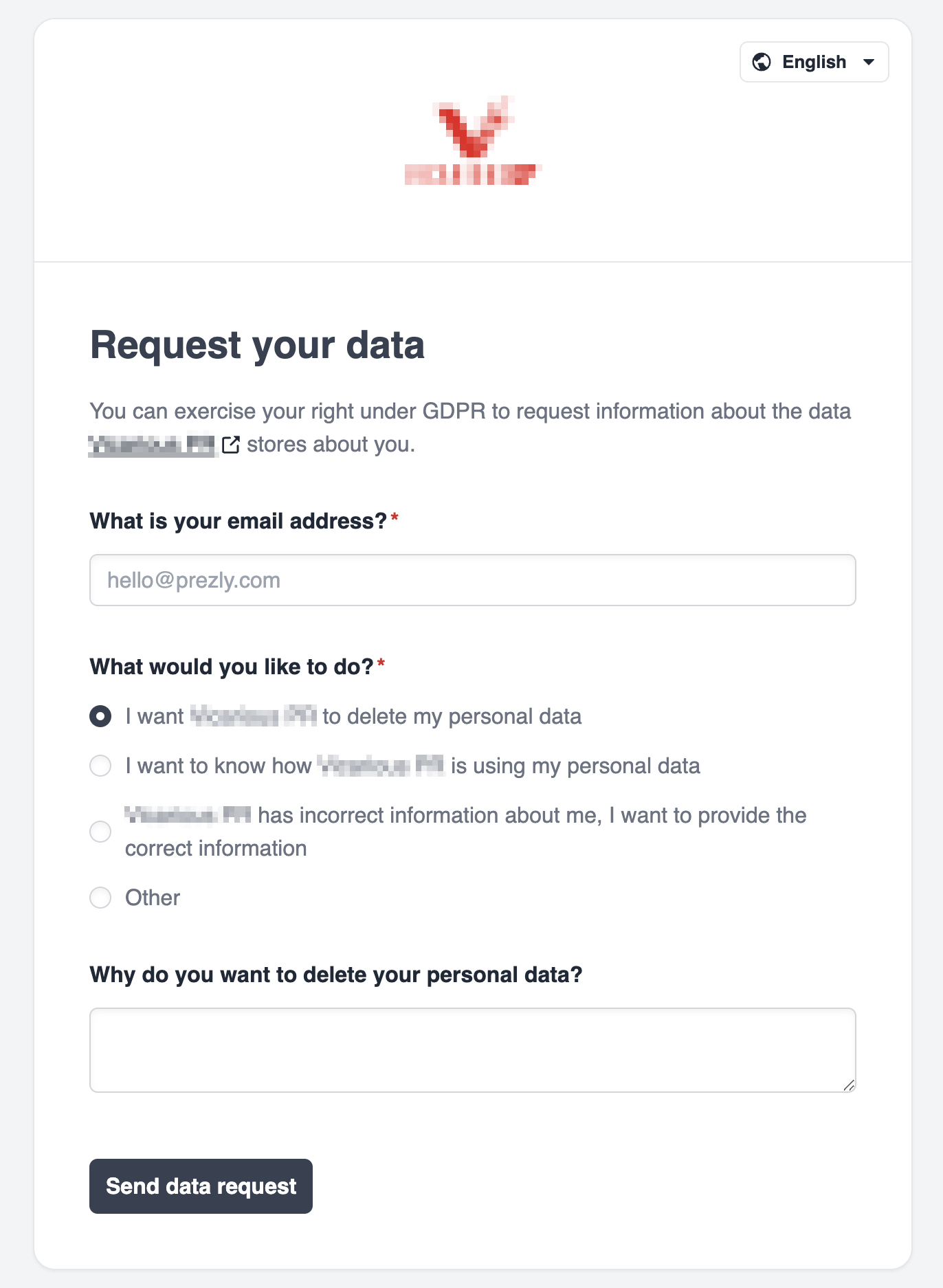
- Submit a data privacy request — ask what personal data you hold about them, ask you to correct it, or ask you to delete it.
Enabling and configuring the portal
The Privacy Portal is enabled by default. On recent Prezly themes it's built in and always on, because it powers the subscribe and unsubscribe flows.
Everything else lives in your site's Privacy Settings:
- Privacy policy. Choose how your privacy policy is presented: the default Prezly privacy policy, a custom link to your own policy page, or your own custom text.
- Custom data request link. Available on higher plans: if you'd rather handle data requests on your own page, enter its URL and the portal will send people there instead of the site's default form.
Your site's Privacy Settings
Who gets notified about data privacy requests is a personal setting: each team member controls it in their own Email notifications settings, under Organization & Legal → Data request and privacy policy updates (GDPR). Check today that it's switched on for at least one active teammate — requests are time-sensitive, and you don't want them depending on a colleague who's on holiday.

Each user's Email notifications settings — with the GDPR data request alert enabled
Data privacy requests
Under the GDPR (and similar laws elsewhere), individuals have the right to:
- Access — "tell me whether you have data about me, and give me a copy" (Art. 15)
- Rectification — "correct the data you hold about me" (Art. 16)
- Erasure — "delete my data", the right to be forgotten (Art. 17)
- Objection — "stop using my data for direct marketing" (Art. 21)
The Privacy Portal is the channel through which people exercise these rights with you. And because you're the controller, a request covers all the data your organization holds about that person — not just what's stored in Prezly.
How a request reaches you
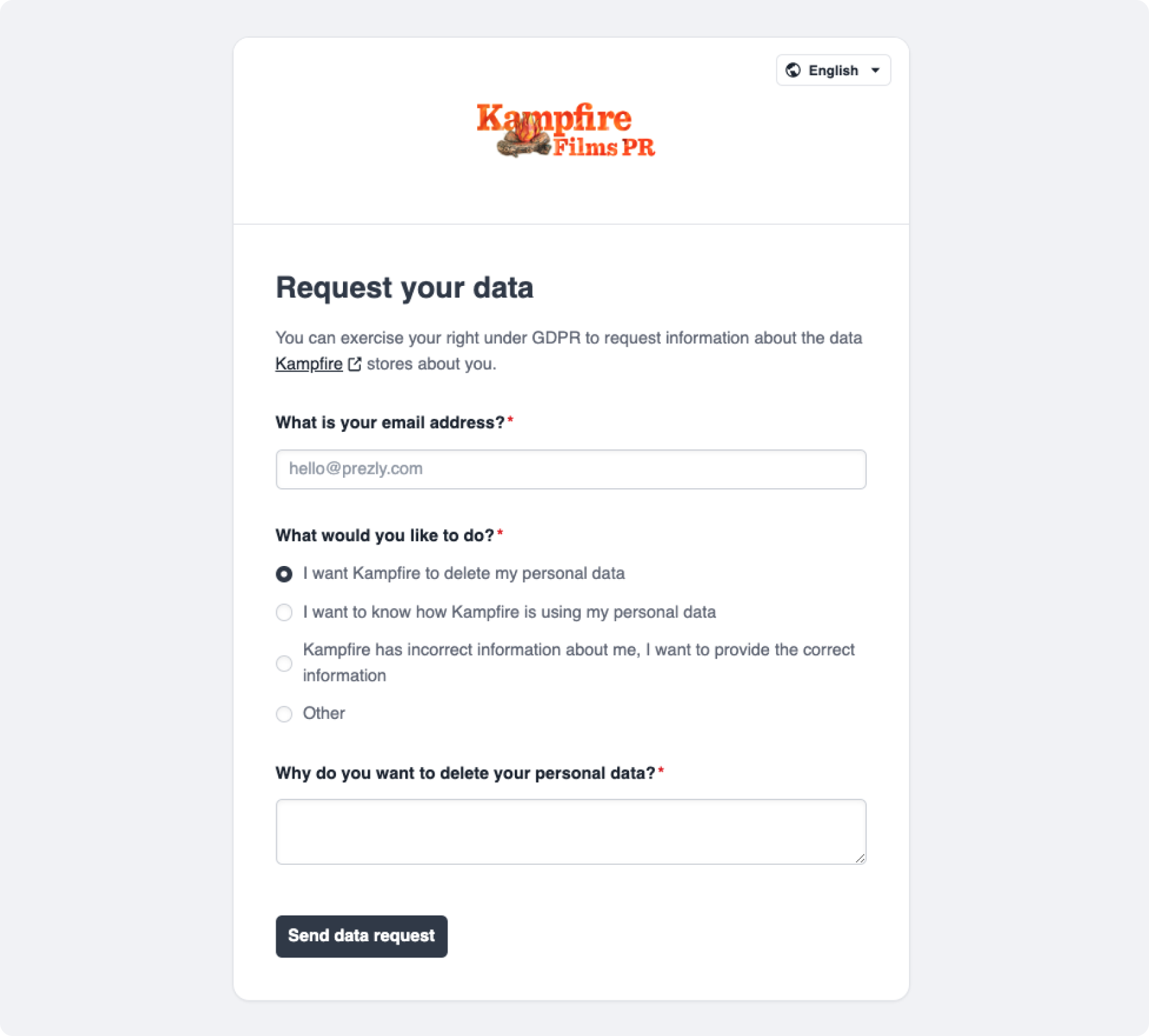
- Someone fills in the data request form on your Privacy Portal: their email address, what they want (access, correction or deletion), and optionally why.
- They receive a confirmation email and must click it to verify they control that email address. This keeps spam and requests made in someone else's name out of your queue.
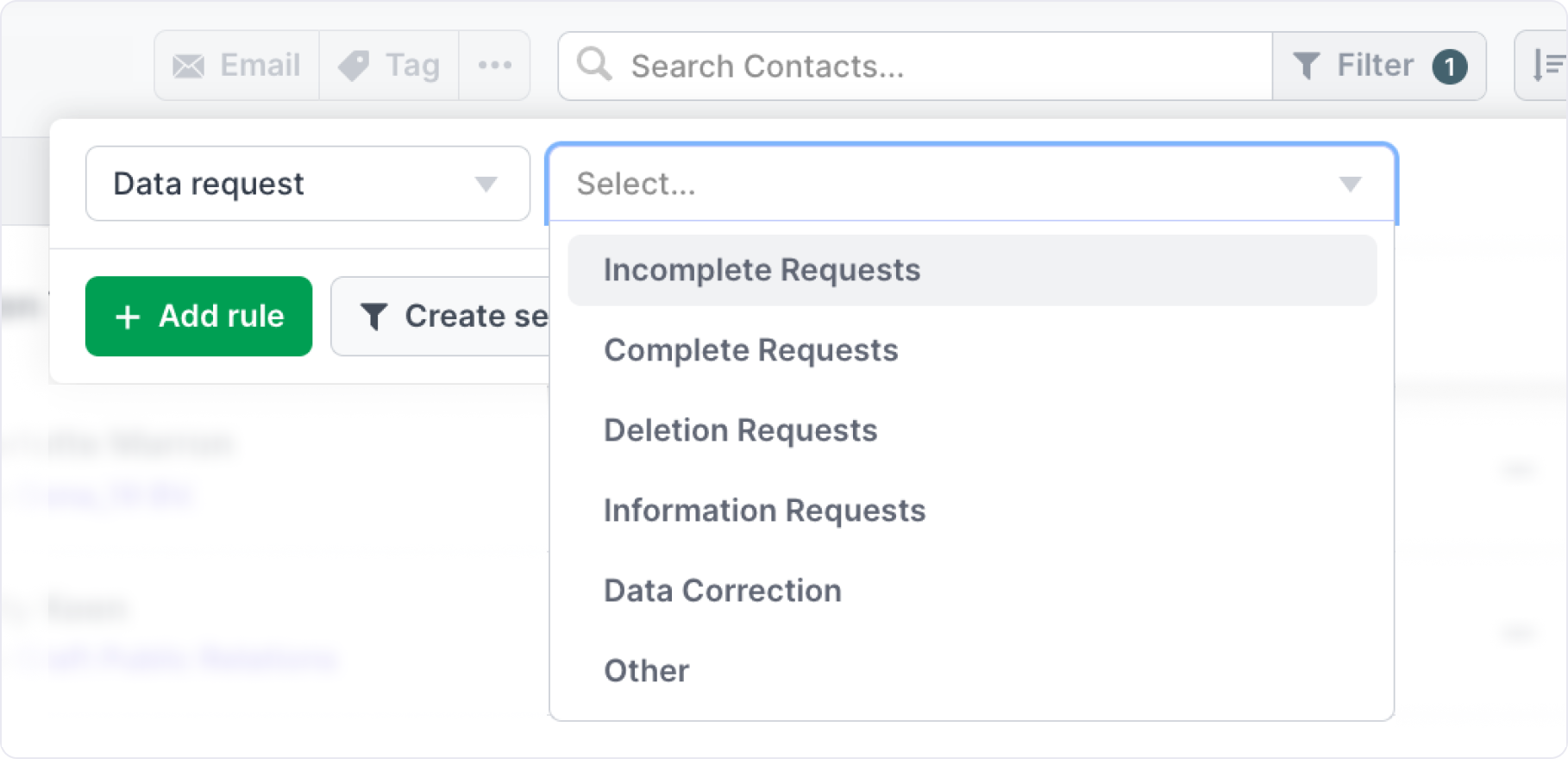
- Once confirmed, the team members with data privacy request notifications enabled receive an email, and the request appears in Prezly, where you can filter contacts with pending data requests.
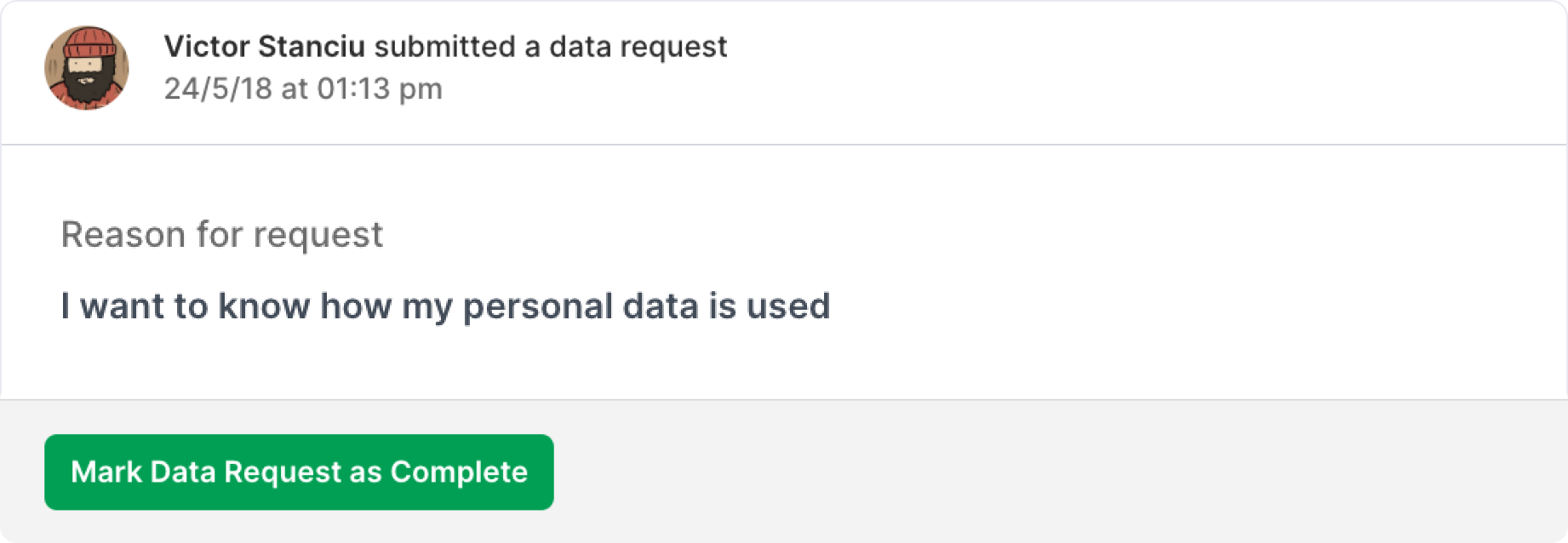
- You handle the request (see below) and mark it as completed in Prezly.
.png)
.png)
Handling a request, step by step
First: don't panic. A privacy request is not a complaint or a legal threat — it's someone using a normal right, and handling it well is quick and reflects well on your brand.
- Read what they're actually asking. A copy of their data, a correction, or deletion — each has a different (easy) resolution.
- Look them up in Prezly. If they're in your contact database, you can export their data to answer an access request, edit their profile for a correction, or delete the contact for an erasure request.
- Check your other systems. Search wherever else your team keeps contact data: your email client, other CRMs or media databases, shared spreadsheets, event tools. As the controller, your answer needs to cover all of it — not just Prezly.
- Reply to the requester within 30 days. One month is the GDPR deadline, and it applies even when you hold no data at all — "we have nothing about you" is a complete, valid answer. Use the templates below.
- Mark the request as completed in Prezly, and keep a short internal note of what you did and when. The GDPR expects you to be able to show how you handled requests.
⏱ Need more time? For complex requests, the GDPR lets you extend the deadline by up to two further months — but you must tell the requester about the extension, with the reason, within the first month.
The person isn't in my contact database — is the request still valid?
Yes. This surprises many teams the first time, so here's the logic.
People generally don't know who holds their data. They saw your newsroom, found your privacy portal, and asked — exactly as the GDPR intends. The law explicitly gives everyone the right to ask whether or not you're processing their data (Art. 15), which means a request can never be "invalid" just because the answer turns out to be no.
The Privacy Portal therefore accepts requests from anyone, whether or not their email matches a contact in your database. There are two good reasons for this:
- Prezly only sees Prezly. You might still hold this person's data in your inbox or another tool. Rejecting the request at the door would prevent you from ever hearing about a request you're legally required to answer.
- It protects your database. If the form behaved differently for known and unknown email addresses, anyone could use it to probe who's on your media list. It deliberately gives nothing away.
So when a request comes in for someone you can't find in Prezly:
- Check your other systems for the person's data (step 3 above).
- If you find nothing anywhere, reply within 30 days that you hold no personal data about them (template below).
- Mark the request as completed. Done — that was a fully compliant response.
Reply templates
Copy, adjust the bracketed parts, and send from your own email address. Keep your reply in the same language as the request where you can.
Acknowledging a request (optional, useful if the answer will take a while):
Hi [name],
Thanks for your message — we've received your data privacy request and are looking into it. You'll receive a full answer from us as soon as possible, and at the latest within one month, as required by the GDPR.
Best regards,
[Name], [Organization]
When you hold no data about the person:
Hi [name],
Thank you for your request. We've checked our records — including our media contact database and the other systems where we store contact information — and we hold no personal data associated with [email address].
If you think we may have your data under a different email address or name, let us know and we'll gladly check again.
Best regards,
[Name], [Organization]
Confirming a deletion:
Hi [name],
As requested, we've deleted the personal data we held about you from our records. You won't receive further communications from us.
Please note that we keep a minimal record of this request itself, so we can demonstrate that it was handled correctly.
Best regards,
[Name], [Organization]
Answering an access request:
For agencies and managed newsrooms
If you run newsrooms on behalf of clients, requests submitted on a client's newsroom will reach your team — but the data controller is usually your client (or you both, depending on your agreements). In practice:
- Forward the request to your client's privacy contact promptly — the one-month clock started when the request was submitted, not when it lands on the right desk.
- Agree with each client, once, on who answers privacy requests for their newsroom, and write it down.
- Keep your notification recipients up to date, especially when account managers change.
Frequently asked questions
Do we have to comply with every request?
Almost always, yes — and it's rarely more than a few minutes of work. An objection to direct marketing must always be honored: stop emailing that person. Requests that are manifestly unfounded or excessive (e.g. the same person asking repeatedly) can be refused, but document your reasoning and, when in doubt, check with your legal advisor.
Someone we've never emailed submitted a deletion request. Isn't that spam?
The confirmation-email step means the requester really controls that address, so treat confirmed requests as genuine. As explained above, "we hold no data about you" is a perfectly fine answer — but you still need to send it.
What does Prezly do with these requests on its side?
Prezly delivers the request to you and gives you the tools to answer it: contact export for access requests, contact editing and deletion, and unsubscribe handling. We don't reply to requesters on your behalf, and we don't delete data from your account unless you do. Our Data Processing Agreement covers our role as processor.
What about the requester's own request data?
The request itself (email address, what was asked, when) is kept so you can demonstrate compliance. That's expected under the GDPR's accountability principle.
